Sales rarely becomes difficult because a business has too much information.
The real problem is that the information is often in too many places.
A new enquiry may be written in a spreadsheet. Customer details might be saved on someone’s phone. Follow-up dates sit in personal calendars. Quotation information is in email threads, while managers depend on calls or meetings to understand which opportunities are moving forward.
For a very small sales team, this may seem manageable.
As enquiries increase and more people become involved in sales, the cracks begin to show.
Someone forgets to call a prospect. Two salespeople contact the same customer. A promising enquiry sits untouched for a week. A manager asks about a deal, but nobody has the latest update.
This is where CRM management becomes important.
CRM management is not simply about storing customer names and phone numbers. It is about building a structured way to manage leads, customers, follow-ups, opportunities, conversations and sales activities throughout the customer journey.
With the right system, the sales team does not have to rely on memory to know what should happen next.
They can see it.
What Is CRM Management?
CRM stands for Customer Relationship Management.
But effective CRM management goes beyond maintaining a database of customers.
It involves organizing the information, activities and processes connected to prospects and customers so that everyone involved in sales can work from the same source of information.
A practical CRM system can help a business answer everyday questions such as:
How many new leads came in this week?
Who is responsible for each lead?
Which prospects need a follow-up today?
When was a customer contacted last?
What was discussed during the previous conversation?
Which opportunities are currently active?
Which deals have stopped moving?
What is the next action for each opportunity?
How much business is currently in the pipeline?
Without a structured CRM, answering even simple questions like these can involve checking spreadsheets, WhatsApp conversations, emails and individual team members.
Good crm management puts that information into one connected system.
Why CRM Management Becomes More Important as a Business Grows
Imagine a business receiving ten enquiries every month.
One salesperson may be able to remember most of them.
Now imagine the same business receiving 100 enquiries while several salespeople are handling different territories, customers and opportunities.
Memory is no longer a reliable sales system.
The challenge becomes even greater when the sales cycle takes several weeks or months.
A prospect may enquire today, request more information next week, ask for a quotation later and make a final decision after several follow-ups.
If every interaction is not recorded properly, valuable context disappears.
This can lead to situations such as:
“I thought someone else was following up.”
“I didn't know the customer had already received a quotation.”
“When did we last speak to this prospect?”
“Why has this opportunity been sitting at the same stage for three weeks?”
These are not always salesperson problems.
Often, they are process problems.
Using suitable sales management software helps create structure around that process.
1. Organize Every Lead From the Beginning
Lead generation gets attention because every business wants more enquiries.
But collecting leads without managing them properly does not solve the sales problem.
Every new lead should enter a defined process.
At a minimum, the business should know:
Who the prospect is
Which company they belong to
Their contact information
Where the lead came from
What they are interested in
Who owns the lead
Current lead status
Previous interactions
Next follow-up date
Notes or requirements
This is where lead management software becomes useful.
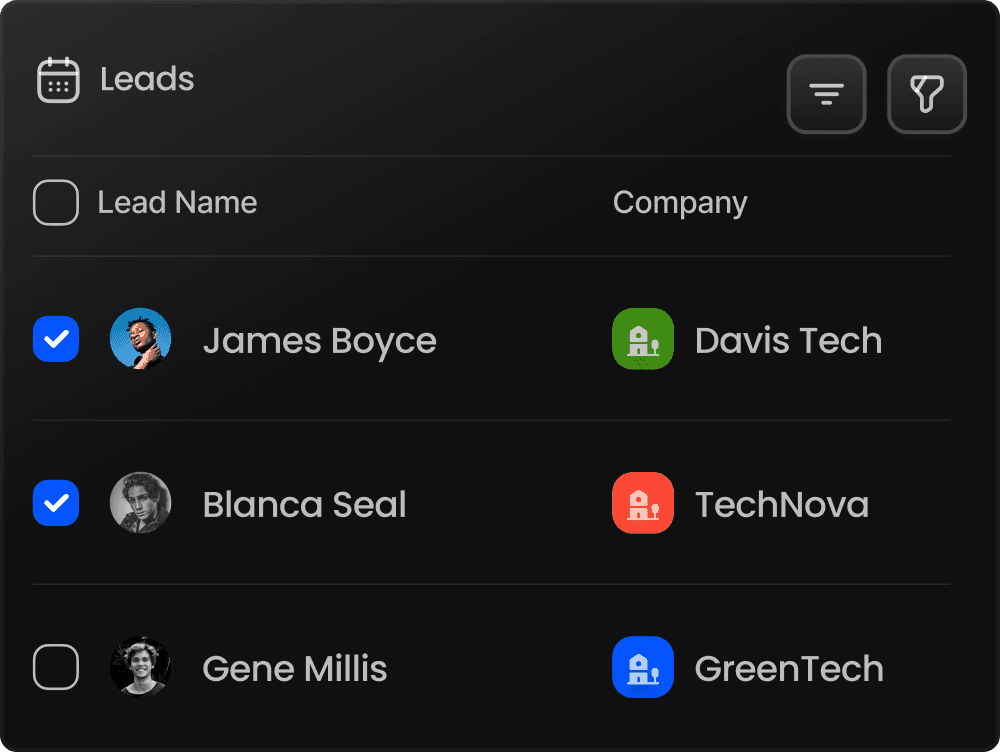
Instead of keeping enquiries across spreadsheets, emails, business cards and messaging apps, a lead management system creates one place for the team to work from.
Consider two situations.
Without a Lead Management System
A website enquiry arrives.
Someone forwards it to a salesperson.
The salesperson makes a call but does not record the result.
Three days later, the manager asks for an update.
The salesperson has to remember what happened.
With a Lead Management System
The lead enters the system.
It is assigned to a salesperson.
The salesperson records the conversation.
A follow-up is scheduled.
The manager can see its status without asking for a separate update.
The actual conversation with the prospect may be the same.
What changes is the process around it.
That structure becomes increasingly valuable as lead volume grows.
2. Keep Customer Information Connected
A lead does not disappear from your sales process when it becomes a customer.
In many B2B businesses, that is when the relationship becomes even more important.
Existing customers may generate repeat orders, renewals, referrals, service requirements or additional opportunities.
Unfortunately, customer information is often fragmented.
The accounts team knows one part of the story.
Sales knows another.
A manager may know something that was discussed during a meeting.
Another salesperson may have spoken to the same customer months earlier.
Good crm management helps build a more complete history.
Instead of seeing a customer simply as:
ABC Manufacturing – 987XXXXXXX
the team should be able to understand the relationship around that customer.
For example:
ABC Manufacturing
Main contact: Purchase Manager
Product interest: Industrial equipment
Last meeting: September 12
Quotation sent: September 15
Follow-up scheduled: September 19
Current opportunity: Under discussion
Assigned salesperson: Rahul
Notes: Customer requested revised delivery terms
Now anyone with appropriate access has context.
That reduces dependence on one employee's memory.
It also makes handovers easier when responsibilities change.
3. Make Follow-Ups Part of the Process
Many sales opportunities do not disappear because the prospect explicitly says no.
They simply become quiet.
A salesperson makes the first call.
The prospect says:
“Call me next week.”
Next week becomes two weeks.
Another urgent task comes up.
A new enquiry arrives.
The follow-up is forgotten.
Eventually, the opportunity becomes cold.
This is one of the most practical reasons businesses adopt sales CRM software.
Every meaningful sales conversation should end with a next action whenever appropriate.
For example:
Send product details → Follow up Thursday
Quotation submitted → Call Monday
Customer needs internal approval → Check again after 10 days
Site visit completed → Prepare revised proposal
The important part is not just recording what happened.
It is recording what should happen next.
A CRM turns follow-up from something a salesperson has to remember into something that can become part of the workflow.
4. Create a Clear Sales Pipeline
A list of 200 leads tells a manager very little.
A structured pipeline tells a story.
For example:
New Enquiry → Contacted → Qualified → Meeting → Quotation → Negotiation → Won
Your stages may be different depending on the business.
A manufacturing company may use:
Enquiry → Requirement Discussion → Site Visit → Quotation → Negotiation → Purchase Order
A service company might use:
Lead → Discovery Call → Proposal → Review → Agreement
There is no single pipeline that fits every business.
What matters is that the stages reflect how opportunities actually move through your organization.
A sales pipeline management CRM makes this visible.
Managers can identify where opportunities are concentrated and where they are getting stuck.
For example, suppose the pipeline contains:
45 new enquiries
30 contacted
18 qualified
12 quotations sent
3 negotiations
2 deals won
That picture creates better questions.
Why are only 18 of 30 contacted leads becoming qualified?
Why are nine quotations not moving toward negotiation?
Which quotations have been inactive for too long?
A pipeline does not automatically solve those issues.
It makes them visible enough to manage.
5. Record Sales Activities, Not Just Customer Details
Traditional customer databases often focus heavily on contact information.
But a sales process is built around activity.
Calls.
Meetings.
Visits.
Emails.
Tasks.
Follow-ups.
Quotations.
Negotiations.
Manager reviews.
These activities tell you what is actually happening around an opportunity.
Modern crm for businesses should therefore help teams understand both the customer and the activity history connected with that customer.
Imagine opening an opportunity and immediately seeing:
September 3: Lead created
September 4: Introductory call completed
September 6: Product catalogue shared
September 9: Meeting completed
September 12: Quotation sent
September 15: Follow-up completed
September 18: Customer requested revised pricing
September 20: Next discussion scheduled
That timeline is much more useful than simply knowing that the lead is “open.”
6. Give Every Opportunity an Owner
One surprisingly common sales problem is unclear ownership.
Everyone knows about the lead.
Nobody knows who is responsible for moving it forward.
Good CRM management should make ownership obvious.
Every opportunity should have someone responsible for the next action.
This does not mean the salesperson works alone.
Managers, back-office teams, quotation teams and operations may all participate.
But someone needs ownership of progress.
A simple rule helps:
Every active opportunity should have an owner, a status and a next action.
If one of those three is missing, the opportunity deserves attention.
7. Give Managers Visibility Without Constantly Asking for Updates
Sales managers need visibility.
Salespeople need time to sell.
Without a shared system, these requirements can clash.
Managers ask:
“What's happening with this customer?”
“Did you call that lead?”
“What happened after yesterday's meeting?”
“Which quotations are likely to close?”
Those questions are reasonable.
But repeatedly collecting updates manually takes time from both managers and salespeople.
A centralized CRM can reduce this dependency.
Dashboards, pipeline views and activity history can allow managers to review progress before requesting additional information.
That changes the conversation.
Instead of asking:
“What are you working on?”
a manager can ask:
“I can see these five quotations haven't moved recently. What is blocking them?”
The second conversation is usually much more useful.
8. Connect CRM Management With Sales Management
CRM and sales management should not operate as separate processes.
Your CRM contains information about customers and opportunities.
Your sales management process uses that information to decide what needs attention.
This is why combining crm management with sales management software can be useful.
Managers can review areas such as:
New leads
Pending follow-ups
Active opportunities
Sales activities
Pipeline movement
Lost opportunities
Team activity
Customer interactions
Instead of preparing reports manually before every sales meeting, the CRM becomes the working record of what has happened.
The sales review can then focus on decisions rather than data collection.
9. Use CRM Data to Improve the B2B Sales Process
B2B sales often involves multiple interactions rather than one quick transaction.
A potential customer may require:
Initial enquiry
Qualification
Requirement discussion
Product demonstration or site visit
Quotation
Commercial discussion
Internal approval
Negotiation
Purchase decision
Payment and fulfilment
That is a lot of information to manage.
A suitable B2B CRM software system helps maintain continuity across those steps.
This becomes particularly important when different departments participate in the process.
Sales may capture the requirement.
Another employee prepares the quotation.
A manager approves the discount.
Operations confirms availability.
Accounts tracks payment.
When information is scattered, handoffs become weak.
When the process is connected, everyone can work with better context.
10. Reduce Spreadsheet Dependence Without Creating More Complexity
Spreadsheets are useful tools.
The problem begins when they become the entire sales operating system.
A typical growing company may eventually have:
Leads.xlsx
Follow-Ups.xlsx
Customers.xlsx
Quotation Tracker Final.xlsx
Quotation Tracker Final 2.xlsx
Sales Report September.xlsx
At some point, nobody is completely sure which file contains the latest information.
Moving to crm software for small businesses should reduce this complexity rather than introduce another layer of work.
The goal should be simple:
Enter important sales information once and make it useful throughout the sales process.
That is a much stronger foundation than constantly copying information between spreadsheets.
11. Automate Repetitive Sales Work Where It Makes Sense
Not every sales activity requires automation.
Relationships still depend heavily on human communication.
But repetitive administrative tasks can often be handled more efficiently.
For example:
A new lead arrives.
Instead of relying on someone to notice it manually, the system can help structure assignment and follow-up activity.
A follow-up date arrives.
Instead of expecting the salesperson to remember every commitment, the system can surface the task.
A deal has not moved for a long period.
Instead of discovering it during a monthly meeting, the CRM can help make inactivity easier to spot.
This is one reason businesses increasingly look at AI-driven CRM software and workflow automation.
SalesLyt currently positions itself as an AI-powered CRM and sales management platform and highlights capabilities including lead management, automated follow-ups, pipeline management, AI-powered insights and prediction, performance scoring, dashboards, task automation, geo-tagging and integrated quotation, invoice and payment management.
Technology should not make the salesperson's job more complicated.
It should remove unnecessary administrative work and help the salesperson understand where their attention is needed.
12. Turn Sales Data Into Useful Decisions
A CRM collects information.
That alone has limited value.
The real benefit comes from using that information to improve decisions.
For example, management may want to understand:
Which leads need immediate attention?
Which opportunities have been inactive?
Which stages contain the most deals?
Where are opportunities dropping out?
Which activities are being completed?
Which customers require follow-up?
Which deals may need manager involvement?
This is where analytics and ai-driven crm software can add another layer of value.
Instead of reviewing individual records one by one, teams can use sales information to spot patterns and priorities.
SalesLyt's current platform includes AI-powered insights and prediction, AI performance scoring, analytics and dashboards alongside its CRM and pipeline capabilities.
The objective is not to let AI make every sales decision.
It is to give the team better information when making those decisions.
What an Organized CRM Management Process Looks Like
A complicated CRM process is not necessarily a good CRM process.
For many growing teams, a simple structure works well:
Step 1: Capture the Lead
Create a record as soon as the enquiry enters the business.
Step 2: Assign Ownership
Decide who is responsible for handling it.
Step 3: Understand the Requirement
Record what the prospect needs rather than storing only contact information.
Step 4: Complete the First Interaction
Call, email, meet or visit depending on your sales process.
Step 5: Record the Outcome
Write down what happened.
Step 6: Schedule the Next Action
Do not leave an active opportunity without a clear next step.
Step 7: Move the Opportunity Through the Pipeline
Update its stage as the sales conversation develops.
Step 8: Maintain the Activity History
Keep calls, visits, meetings, quotations and significant discussions connected to the opportunity.
Step 9: Review Stagnant Opportunities
Identify leads and deals that have stopped moving.
Step 10: Convert and Maintain the Customer Relationship
When the opportunity becomes a customer, keep the relationship history accessible for future business.
The process can be summarized as:
Lead → Contact → Follow-Up → Opportunity → Pipeline → Customer → Ongoing Relationship
That is the foundation of practical CRM management.
Choosing CRM Software for a Small Business
Searching for the best CRM software for small businesses can quickly become confusing because CRM platforms offer very different levels of complexity.
Instead of starting with a long feature checklist, start with your actual sales process.
Ask:
Can the team capture leads easily?
If adding a lead is difficult, adoption will suffer.
Can every lead have an owner?
Responsibility needs to be clear.
Can salespeople schedule and track follow-ups?
This is one of the most important everyday CRM functions.
Can we see the sales pipeline?
Managers should be able to understand opportunity movement without rebuilding the report manually.
Can we review customer interaction history?
Previous conversations provide important context.
Can managers understand sales activity?
Visibility should not depend entirely on verbal reporting.
Can the CRM grow with the business?
The process may become more sophisticated as the company grows.
Will the team actually use it?
This question matters more than almost everything else.
A powerful CRM that nobody updates is simply an expensive empty database.
The right crm for small businesses should fit naturally enough into daily work that keeping information updated becomes part of the sales process.
How SalesLyt Brings CRM Management Into One System
SalesLyt is built around the idea of connecting sales activities rather than managing them as isolated records.
The platform is positioned for small businesses, startups, agencies and growing B2B sales teams and currently brings together CRM and sales management functions such as lead management, customer organization, automated follow-ups, pipeline tracking, AI-powered insights, task automation, performance tools, analytics and broader sales-lifecycle functions.
The practical value of this approach can be understood through a simple sales journey.
A lead enters the business.
The salesperson knows it needs attention.
Interactions are recorded.
Follow-ups remain connected to the opportunity.
The opportunity moves through the pipeline.
Managers can review progress.
Relevant sales information remains connected as the relationship develops.
Instead of building the process around separate spreadsheets and individual memory, the CRM becomes the common workspace.
That is the difference between simply having customer data and actually managing customer relationships.
CRM Management Is Ultimately About Knowing What Happens Next
Businesses often think CRM implementation is mainly about collecting more data.
It shouldn't be.
A salesperson does not need twenty unnecessary fields to complete before making a call.
A manager does not need another complicated report that nobody reads.
The CRM should help answer practical questions.
Who needs attention today?
What happened during the last interaction?
Which deals are moving?
Which opportunities are getting cold?
Who owns the next action?
Where should the team focus?
If a CRM management process can consistently answer those questions, it is doing something valuable.
Build a More Organized Sales Process With SalesLyt
Growing sales teams do not necessarily need more spreadsheets, more meetings or more manual reports.
They need a clearer way to manage the work already happening.
A structured lead management system keeps enquiries organized.
Lead management software helps salespeople maintain ownership and follow-ups.
A sales pipeline management CRM gives the team visibility into opportunity movement.
Sales CRM software connects customer information with day-to-day sales activity.
And a centralized CRM helps managers understand what is happening without chasing every update manually.
SalesLyt brings these areas together within an AI-powered CRM and sales management platform designed for growing businesses and B2B sales teams. Its current feature set connects lead management, automated follow-ups, pipeline tracking, AI insights, performance tools and sales lifecycle management within one system.
The goal of CRM management is not to make sales more complicated.
It is to remove the confusion around it.
When leads, customers, follow-ups and sales activities live in one connected system, everyone has a clearer picture of what has happened, what is happening now and what needs to happen next.
That is how CRM management becomes more than software.
It becomes part of the way the business sells.

Conclusion
Effective CRM management is not simply about storing customer information. It is about creating a clear and organized sales process where leads, customers, follow-ups, activities and opportunities are connected in one place.
With the right lead management system and sales CRM software, sales teams can reduce missed follow-ups, maintain accurate customer histories and understand which opportunities need attention. Managers also gain better visibility into the sales pipeline without depending on scattered spreadsheets or constant manual updates.
For growing B2B teams, a centralized system can make everyday sales work easier to manage. From lead tracking and follow-ups to pipeline management and sales activities, SalesLyt helps businesses keep their sales process organized and focused on the next action.
A well-managed CRM does more than organize data. It gives the entire sales team a clearer view of what has happened, what is happening now and what needs to happen next.